Spotify Clone
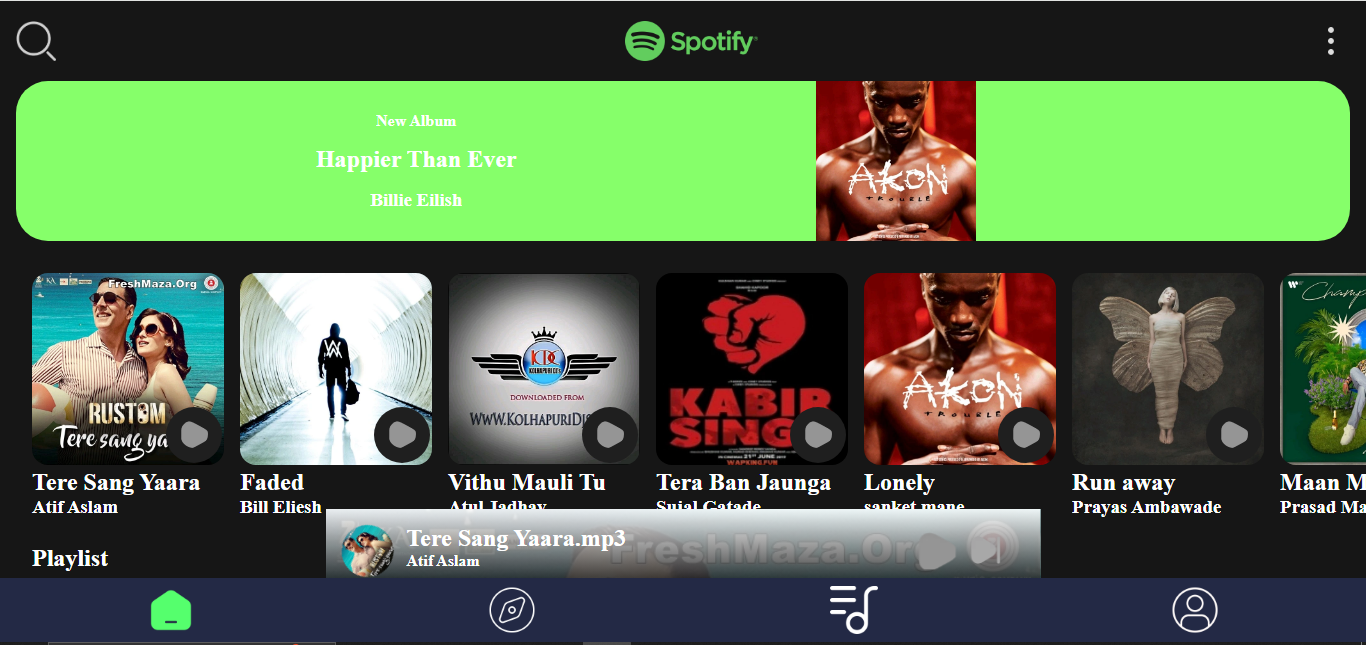
A web-based Spotify clone with personalized playlists and real-time user data synchronization.
Project Story
Inspired by the seamless user experience of Spotify, I wanted to delve into the mechanics of a modern web-based music player. This project was a journey to understand and implement core features like user authentication, persistent data storage for playlists, and dynamic audio playback controls. The main goal was to build a functional and visually appealing music streaming service using vanilla JavaScript and Firebase, which pushed me to master DOM manipulation and asynchronous data handling. The result is a lightweight, responsive Spotify clone that demonstrates strong foundational web development skills and the ability to integrate third-party services like Firebase for backend functionality.
Problem Solved
This project tackles the challenge of building a dynamic, single-page music streaming application from scratch, focusing on user-specific data management and a responsive user interface without relying on a major front-end framework.
Technical Sheet
Technologies
Key Concepts
- DOM Manipulation
- Asynchronous JavaScript
- Firebase Integration for Real-time Data
- Local Storage for Session Management
- Client-Side Routing (manual)
- Event Handling
- Responsive Web Design
Architecture
Client-Server architecture with a vanilla JavaScript frontend that interacts directly with a Firebase Realtime Database for all backend operations, including user authentication and data storage. The application is a Single Page Application (SPA) where content is dynamically loaded and rendered on the client-side.
Highlights
Features
User Authentication and Persistent Sessions
Users can sign up and log in, with their session information stored in the browser's local storage. All user-specific data, such as playlists and favorite songs, is linked to their account and persists across sessions.
Dynamic Music Player
A fully functional music player that can play, pause, skip to the next or previous track, and display the current song's progress. The player's UI updates in real-time based on the audio's state.
Personalized Playlists and Favorites
Users can create their own custom playlists, add songs to them, and mark songs as favorites. All this information is saved to their Firebase account, making it accessible from any device.
Search and Discover
A search functionality allows users to find specific songs. There is also a 'Discover' section that categorizes songs by language, helping users find new music.
Customizable Themes
The user's profile page includes an option to switch between light and dark themes, with the preference saved in local storage for a consistent experience on return visits.
Challenges
State Management without a Framework
Managing the application's state (e.g., current song, user playlists, theme) was handled using a combination of global variables and the browser's local storage. This required careful organization and handling of data to ensure consistency across the UI without the help of a state management library like Redux or Vuex.
Real-time Data Synchronization with Firebase
Ensuring that the UI always reflects the latest data from Firebase (e.g., when a user favorites a song) required implementing functions that could both fetch data on load and update it in real-time. I used Firebase's `get` and `set` methods to read and write data, and structured the code to re-render relevant parts of the UI after any data modification.
Implementing the Audio Player Logic
Creating the logic for the audio player, including the progress bar, time display, and next/previous track functionality, was a complex task. I used the HTML5 Audio API and its events (`ontimeupdate`) to continuously update the UI. The logic for playing the next song in a playlist required careful management of the song queue and the current track's index.
My Contributions
- Designed and developed the entire front-end application from scratch using vanilla JavaScript, HTML5, and CSS3.
- Integrated Firebase Realtime Database for user authentication, data storage, and real-time data synchronization.
- Implemented the core music player functionality, including playback controls, progress tracking, and playlist management.
- Created a responsive and intuitive user interface with features like search, discover, and customizable themes.
- Managed the application's state and data flow without relying on any external frameworks or libraries.